🧩Simplify and Speed Up Design System Creation
A Figma Plugin for Comprehensive JSON structure management and AI-assisted editing for design tokens and variables
Overview
Role / Responsibilities
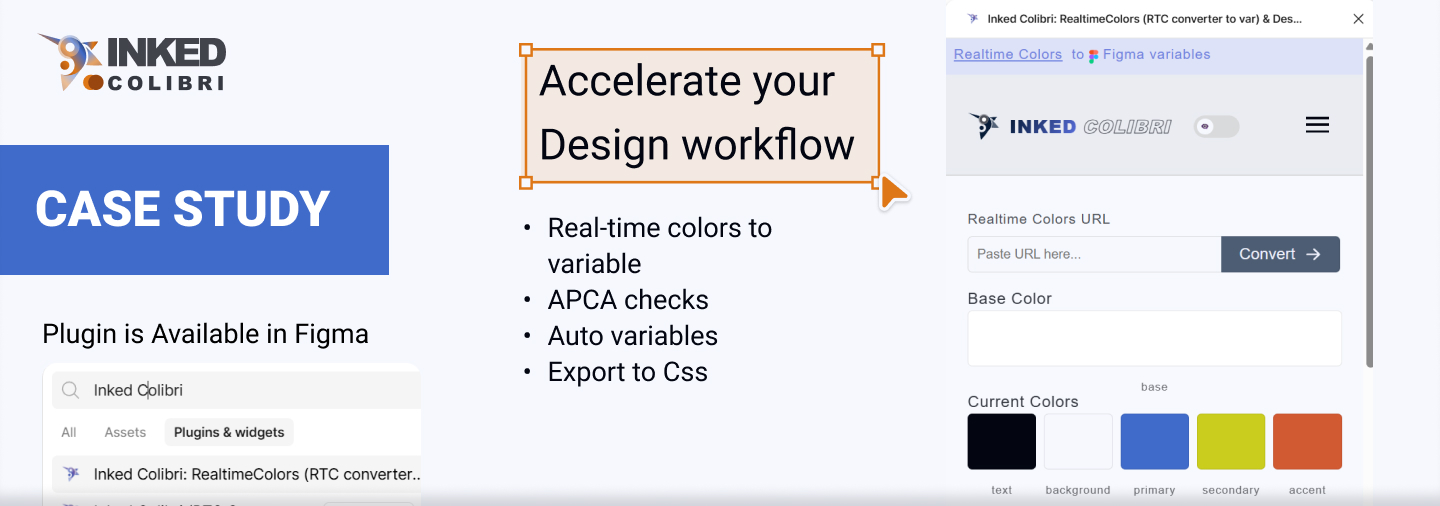
Led the end-to-end conception, design, and development of a custom Figma plugin that eliminates time-consuming bottlenecks in the UI design workflow.
Strategy & Problem Discovery
Identified critical workflow inefficiencies in design system management and developed a comprehensive solution to streamline the process.
Solo Product Designer & Developer
Technical Execution: Developing the plugin with a focus on:
- Advanced Color Management & Swatch Generation
- APCA-Compliant Contrast Analysis
- JSON-driven Design Token Management
- Structured CSS Token Export for development
The Problem
Why I Created a Tool for Color and More
As I transitioned from markup to UI/UX design, I noticed a universal bottleneck: building scalable color systems was tedious and inefficient. While developing a design system for a real estate project, I created Inked Colibri, a Figma plugin with five core features to eliminate designers’ most frustrating tasks.
The Limitation of Existing Tools
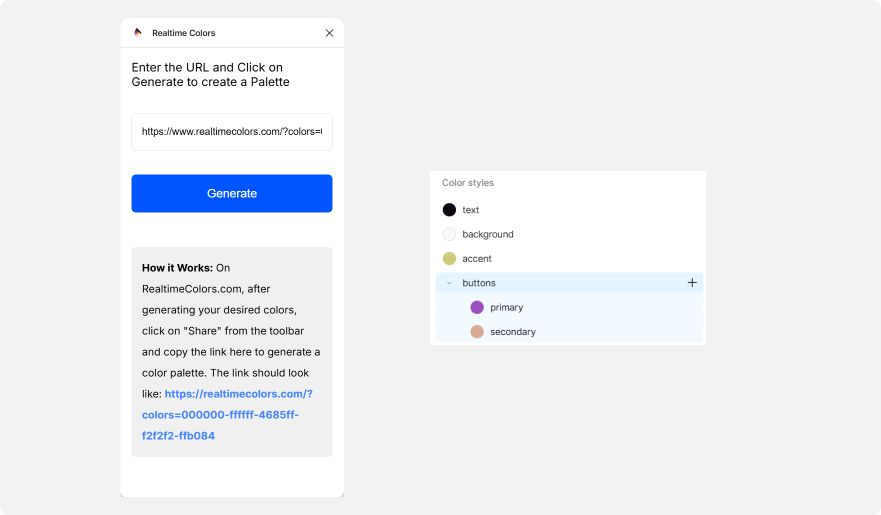
While building a design system, I used the Realtime Colors Figma plugin for color inspiration. However, it came with a critical limitation that forced a manual workaround: creating complex “physical layer” structures in Figma. This led to:
- Slow prototype performance
- Overly complex, unmanageable layer structures
- Inconsistent color application across components
Complete Color System in One Click
Problem: Manual color system creation is slow, inconsistent, and error-prone.
Solution: Generate a complete color system from any base palette in one click:
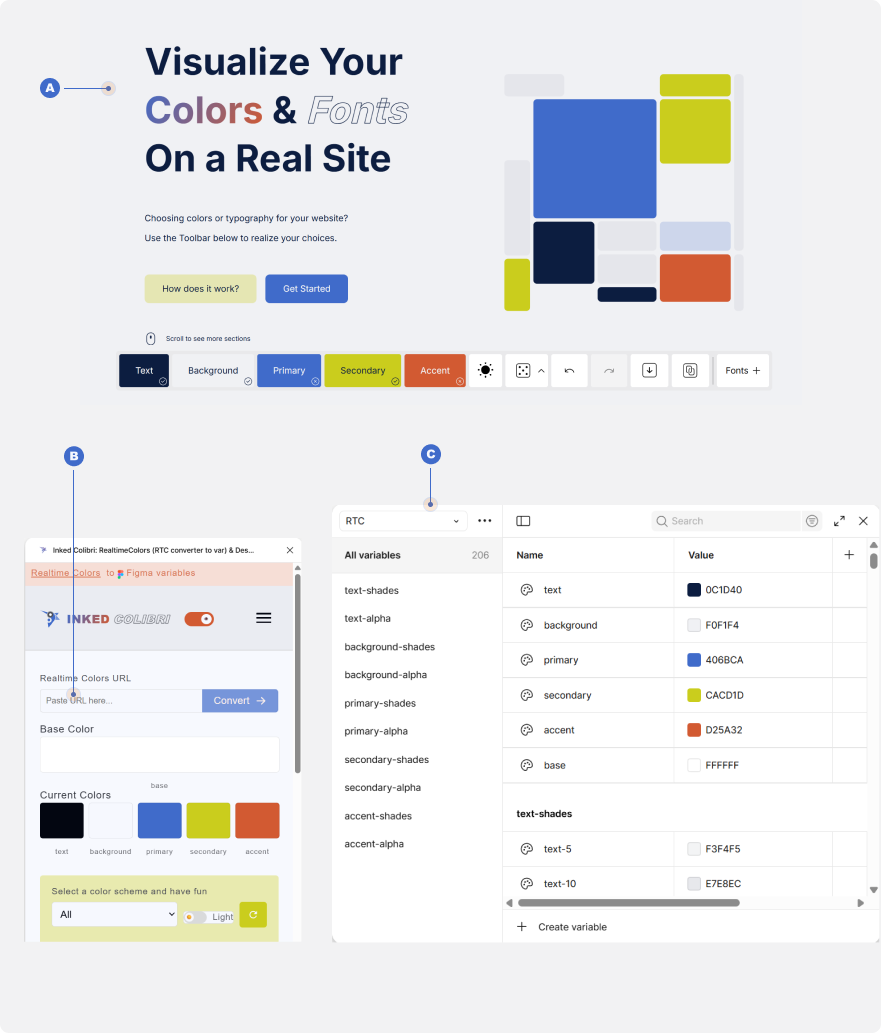
- Generate and copy a URL from RealtimeColors.com.
- Paste the URL into Inked Colibri
- Generate the entire system instantly
One-Click Conversion Includes:
- Importing colors from RealtimeColors.com
- Automatic generation of a full spectrum of shades (text-shades/text-5…100)
- Creating alpha variants for each shade background (text-alpha/text-5…100)
Key Benefits:
- Eliminates Manual Work: No more complex layer hacks
- Ensures Consistency: Shades and alphas are mathematically generated
- Maintains Performance: Relies on Figma styles, not physical layers
- Saves Time: Complete system ready in seconds
This creates a production-ready color foundation that is consistent, performant, and easy to maintain.
Color Swatches & Version Rollback
Problem: Designers often lose great color schemes while experimenting.
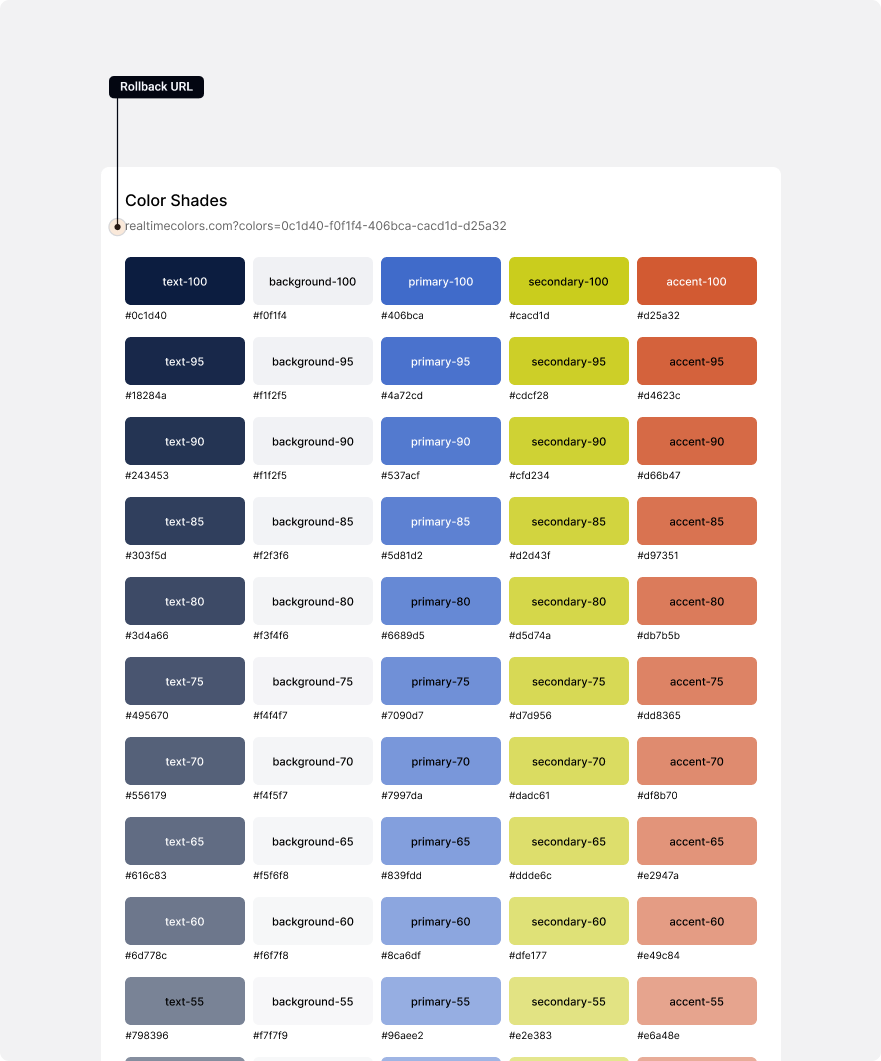
Solution: Each swatch saves the original RealtimeColors.com URL, allowing instant rollback.
The Inked Colibri Solution: Non-Destructive Exploration with Source-Linked Rollback
How it Works:
- Generate Color Swatches: In the Variables collection preview, click “Generate Preview.”
- Preserve the Source: Each swatch saves the original RealtimeColors.com URL.
- Rollback Anytime: Reapply a previous scheme instantly by using the saved URL.
Key Benefits:
- Perfect Rollback: Restore any past scheme with 100% accuracy.
- Iterate with Confidence: Adjust a saved scheme on Realtime Colors and seamlessly re-apply it.
- Safe Experimentation: Explore bold new directions without fear of losing your best work.
This turns color exploration from a risky one-way street into a flexible, stress-free process.
APCA Matrix Generator
Problem: Standard accessibility checkers only test flat color pairs, ignoring layered relationships like transparent overlays. Testing manually is impractical.
The Inked Colibri Solution: A Complete Accessibility Matrix Based on your color scheme
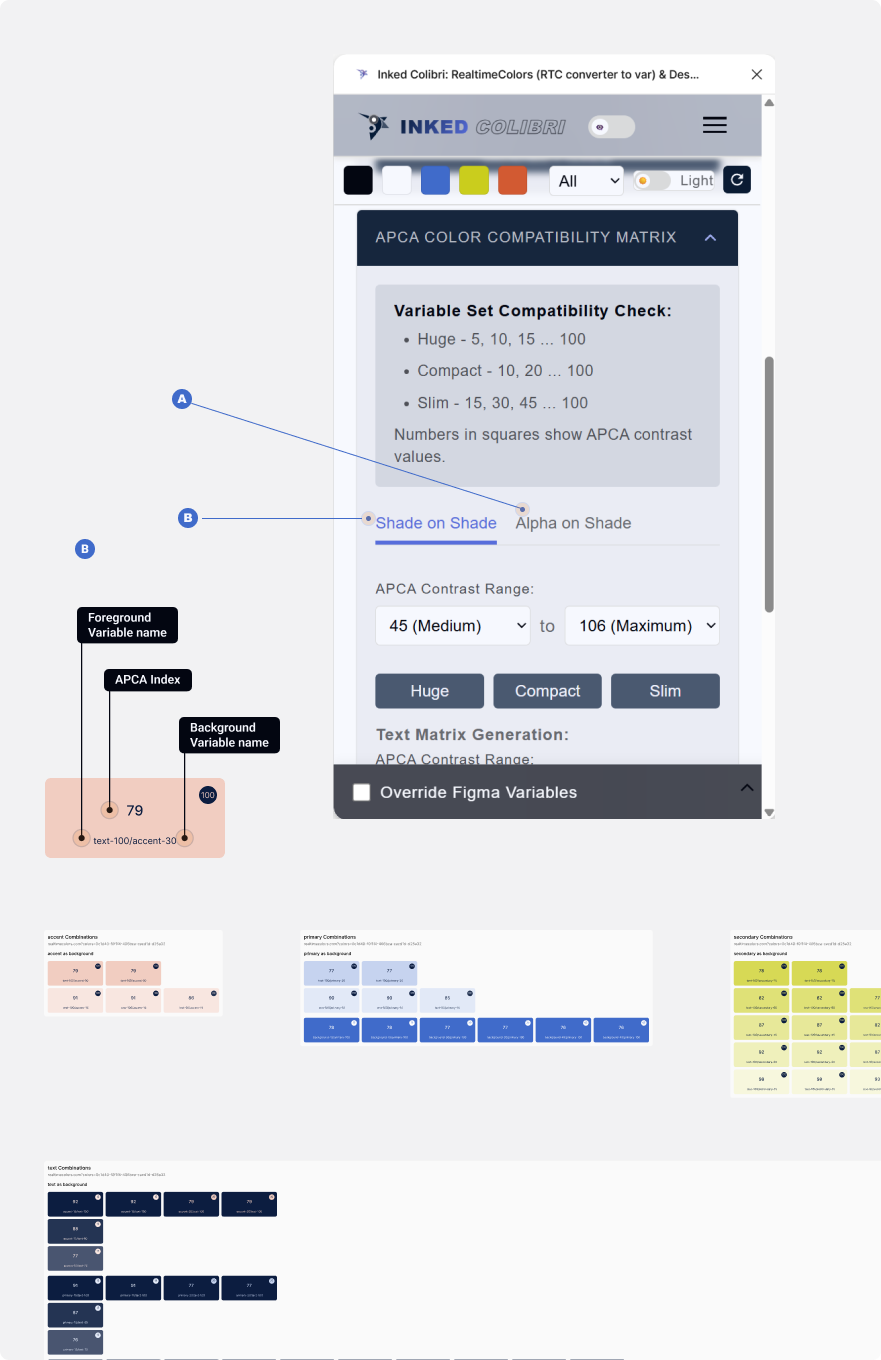
- Shade-on-Shade Matrix: Tests every solid color against every other solid color for text, borders, and icons.
- Alpha-on-Shade Matrix: Tests every transparency value against every solid shade to guarantee overlays, ghost buttons, and semi-transparent elements meet accessibility standards.
Key Benefits:
- Exhaustive Analysis: Identifies accessible combinations impossible to spot manually.
- Confident Layering: Design transparently, knowing exactly what passes across all backgrounds.
- Actionable Results: Outputs variable names (e.g., text-100 on accent-30) for direct application in your workflow.
This turns color exploration from a risky one-way street into a flexible, stress-free process.
Token Commander: AI-Driven Design System Automation
The Problem: Building and maintaining a complex design system is time-consuming, error-prone, and hard to scale manually.
The Inked Colibri Solution: The AI-to-Figma Pipeline
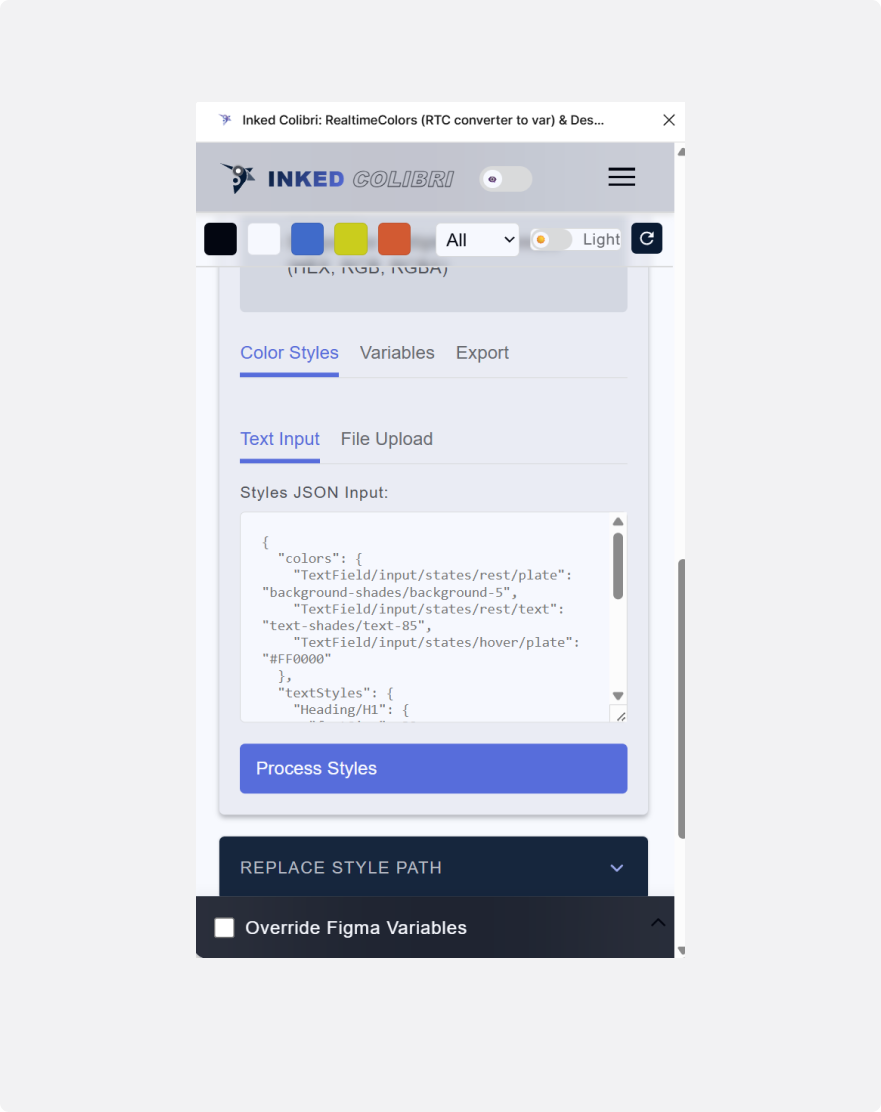
- Describe: Explain your desired design system structure to any AI (e.g., “Create a semantic color theme with primary, secondary, and error tokens”).
- Generate: The AI produces a fully formatted JSON schema based on your description.
- Execute: Paste the JSON into Token Commander to instantly create and bind hundreds of variables and styles in Figma.
Key Benefits & Use Cases
- Rapid Prototyping: Build entire design system foundations in minutes, not days.
- Flawless Architecture: Variables are logically structured and consistently named from the start.
- Effortless Scaling: Update or expand your system easily by generating a new JSON schema.
- Perfect Communication: JSON provides an unambiguous blueprint for both AI and Figma.
Summary
Token Commander makes managing design tokens at scale fast, accurate, and repeatable. Full capabilities—including AI prompt examples and token patterns—are detailed in the official documentation website.
CSS Export – Mimics Your Figma Structure
The Problem: Translating Figma design tokens and variables into usable CSS is often manual, error-prone, and inconsistent.
The Inked Colibri Solution: Automatically generate CSS that mirrors your Figma variable and style architecture.
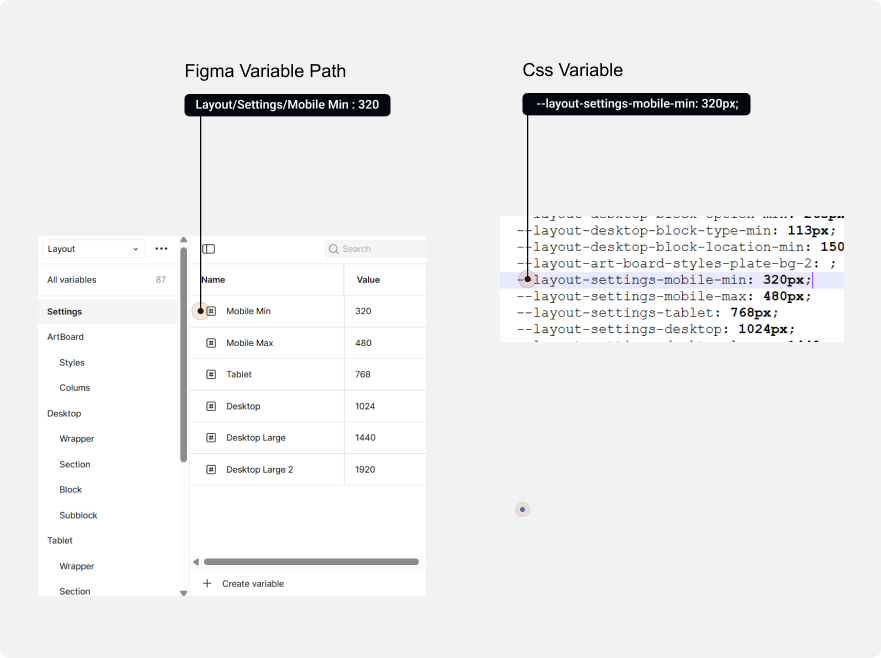
As shown in the image, a simple Figma path like:
Layout/Settings/Mobile Min : 320 are converted to the CSS variable:
--layout-settings-mobile-min: 320px; Two export modes are available:
- Color Tokens :Export your full color system.
- Design Tokens: Export all defined design tokens for complete integration.
Key Benefits:
- Consistency: Maintains naming and structure from Figma to code.
- Efficiency: Eliminates manual CSS creation.
- Scalable: Works seamlessly with any size design system.
All Variable units are generated in rem
Cloning Large Sets - Replace Style Path
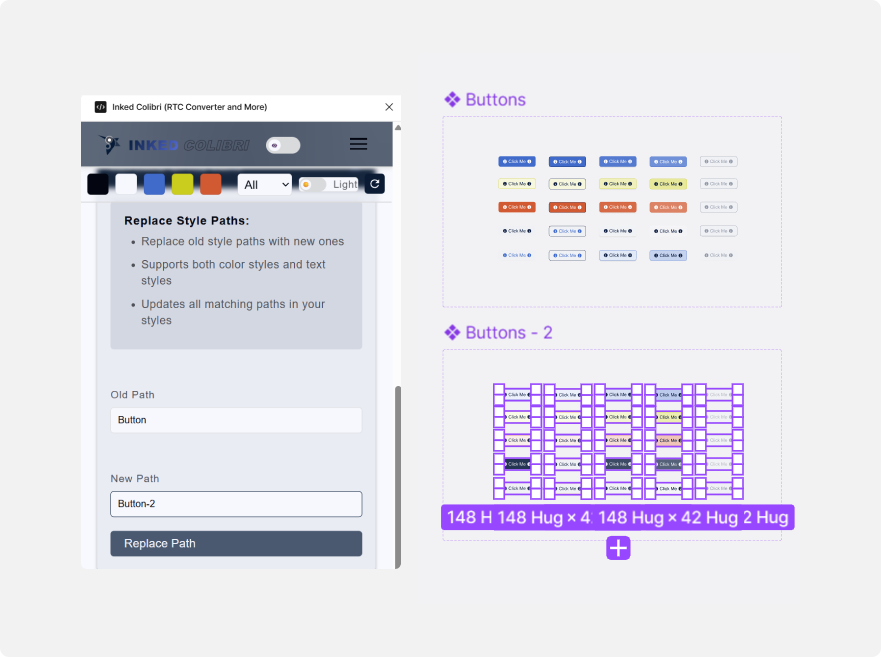
Managing large component sets with numerous color variables is complex. For example, a button set using 25 variables
for Primary, Secondary, Text, etc., applied to different parts like plate, border, leading icon, and text. Experimenting with a new color scheme without losing the original is challenging.
Normally, you would have to duplicate the variable set, duplicate the color styles, and then manually reapply over 100 color styles—a mechanical and time-consuming process that kills creativity.
With the Inked Colibri toolset, the workflow is streamlined:
- Generate an APCA Matrix text version (Feature 3)
- Export the current button color styles as a JSON file. (Feature 4)
- Share both the APCA text data and the JSON file with an AI to get a new, accessible color scheme.
- Duplicate your variable set in Figma.
- Execute the AI-generated JSON to create all the new color styles automatically. The new path will be slightly different (e.g., button-2). (Feature 4)
- Use the Replace Style Path tool: Ctrl+Select all elements in the button set and replace button with button-2 in one click (Feature 3).
Key Benefits:
- AI-assisted color selection based on real APCA contrast data.
- Rapid iteration: Hours of manual work can be done in 15 minutes.
- Frees up your creative fuel for design, not mechanical tasks.